Usage
Usage
Invoking it
With git diffs
Assuming you’ve configured things as described above, invocation is exactly the same as with git diff, you just say git cdiff instead.
For example, to see what changes have been added in “branch_b” you could run either of the following.
git cdiff main..branch_b
git difftool --tool=cdiff main..branch_b
Diffing random files
cdiff takes 3 options
- original file
- changed file
- (optional) file name
The file name is what’s displayed both at the top of the page, and in Cleandiff’s sidebar.
cdiff original_file.txt changed_version.txt
cdiff original_file.txt changed_version.txt "the_memo"
Getting More Context
You’ll notice that Cleandiff focuses on not just the words that have changed, but also the lines. By default it shows you a handful of lines around the changes; just enough to give you context for the change. Sometimes, you need a little more.
Cleandiff gives you two options for this.
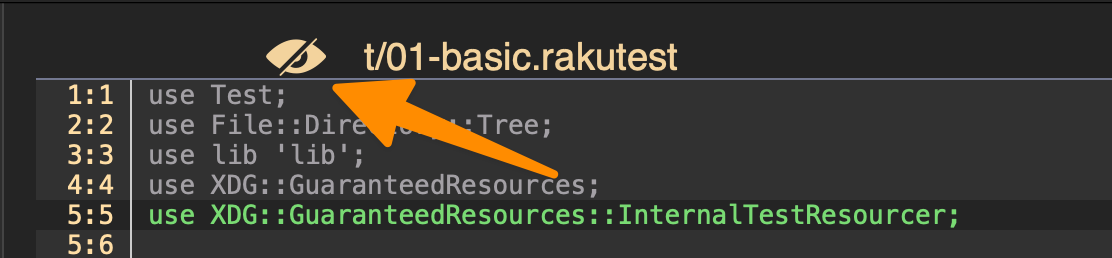
Usually - if any more context is needed - you only need a few more lines to understand the change. Clicking any of the line numbers near a jump will expand 10 lines above it. You can repeat as needed.

Alternately, if you just want to see everything you can click the eye icon at the top of the page will show you the entire file, by toggling the visibility of all the hidden lines.